

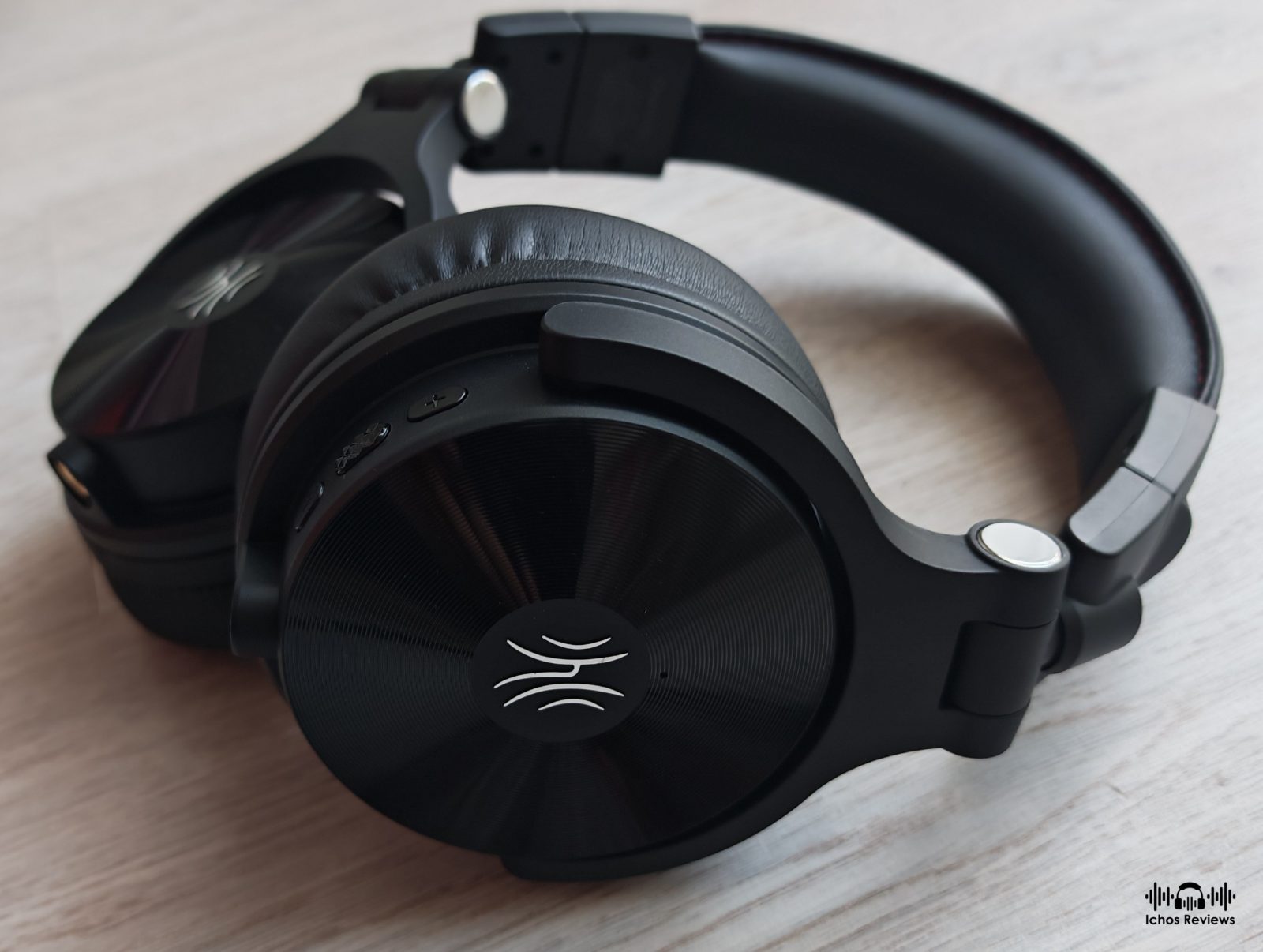

Today’s review is about the OneOdio Studio Max 2, a pair of wireless DJ headphones featuring 9ms ultra-low-latency wireless reception and sound tuning by the renowned DJ KSHMR.
The review sample was kindly provided free of charge in exchange for an honest review. I didn’t receive monetary or any other kind of compensation and I don’t use affiliate links.
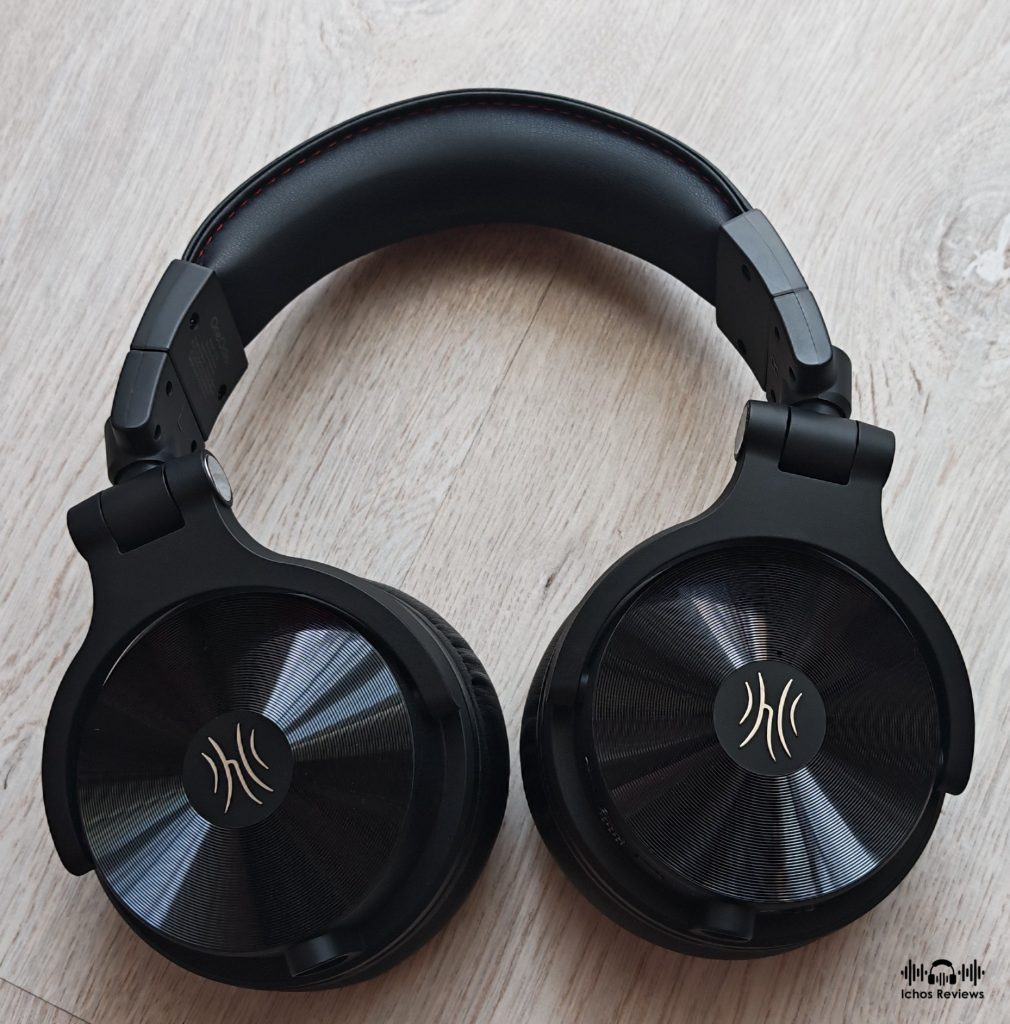
The price of the OneOdio Studio Max 2 headphone is €199.99 and you can buy it directly from OneOdio. The price includes worldwide free shipping and the headphone is covered by a 24-month warranty.
OneOdio
Honestly speaking I didn’t know anything about the brand until they contacted me to suggest if I would like to test their Studio Max 2 headphones.
OneOdio is a Chinese audio brand that was founded in 2015 with the aim to produce affordable headphones for DJs, musicians and everyday listeners.
The company started with budget-friendly wired studio headphones such as the Pro 50 and Monitor 80, which became popular because they offered respectable performance for their price. Later on, the brand expanded into wireless headphones, some of them also featuring ANC.
The Studio Max series represents OneOdio’s move into professional wireless DJ headphones. The new Studio Max 2 features the company’s third-generation low-latency RapidWill+ wireless technology, delivering a claimed 9ms latency, while also introducing a sound profile developed in collaboration with internationally renowned DJ and producer KSHMR.
OneOdio Studio Max 2
The OneOdio Studio Max 2 is the brand’s flagship headphone and their most ambitious project thus far. A closed-back headphone with an over-the-ear wearing style that except for wired and wireless Bluetooth connectivity, it also features OneOdio’s low-latency RapidWill+ RF wireless technology.
OneOdio doesn’t provide much information about the technical parameters of the headphone except that it is equipped with 45mm, high-flux drivers made from Japanese made PET and that two high quality microphones are used for crystal clear voice calls.
User Interface
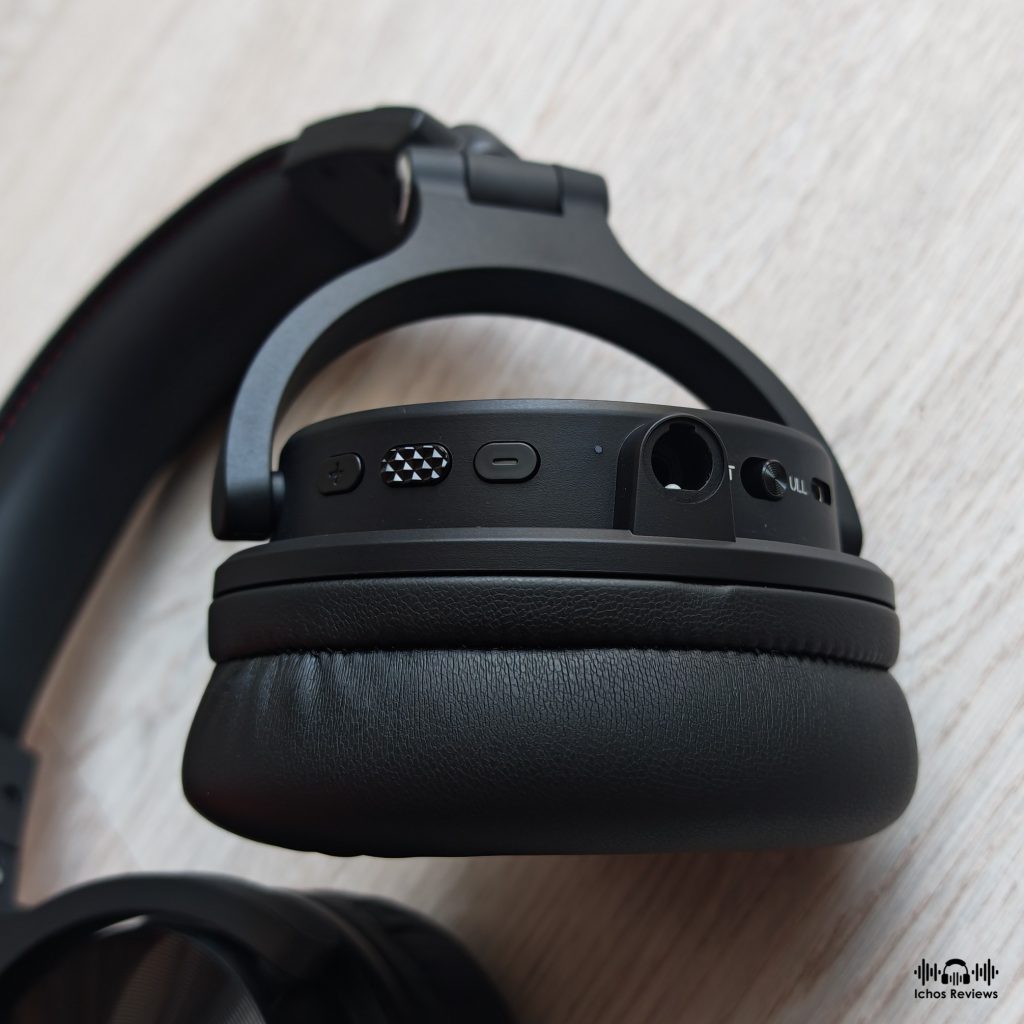
The Studio Max 2 has with three buttons and a switch, all located at the bottom of the right ear cup, split between the USB type-C charging port and the 3.5mm female jack. Hardware buttons might not be as fashionable as touch interfaces but they are more reliable and easier to use, especially in studio or in the live stage.
The switch is used to select between the Bluetooth and WiFi wireless modes. There are also two volume up/down buttons that can be used to skip tracks during music playback, along with a central multifunction button that is used to perform various tasks, such as turning the headphones on or off, playing or pausing music, or forcing Bluetooth/WiFi pairing mode. You can also use the buttons to handle incoming calls and activate the voice assistant.
Connectivity
The Studio Max 2 supports three connection modes:
Wired Connection
Direct wired connectivity is supported through two different interfaces. A 6.35mm female jack is located on the left ear cup and a 3.5mm jack on the right, so you can use the supplied cable without the need for extra adapters.
The wired connection is pure analog, the Studio Max 2 is switched off and all electronics are disabled, letting the audio signal be directly routed to the transducers, just like regular headphones.
The impedance rating of the headphone is 34Ω with 98dB sensitivity, so it is not difficult to drive. I have mostly used the Chord Mojo 2 and the Burson Audio Playmate 2, which are my most reliable single-ended sources.
Bluetooth connection
Bluetooth wireless connectivity is supported through the SBC, AAC, and LDAC codecs, with the latter offering the best audio quality and the lowest latency. If your phone is not compatible with the LDAC codec, then you are limited to SBC or AAC because none of the aptX codecs are supported.
To establish a connection, set the corresponding switch to BT mode and power on the headphones, which will automatically enter pairing mode. Please note that in order to use the LDAC codec it must first be enabled through the OneOdio application.
The connection is stable and reliable within a distance of about 7-10 meters from the phone. Multipoint connection with two devices is also supported but it first must be enabled from the application.
Wireless 2.4GHz RF Connection
The Studio Max 2’s strongest selling point is that it supports ultra-low-latency 2.4GHz wireless connectivity with just 9ms of latency. You cannot connect it directly to your home network as you can with some other headphones. Instead, you have to use OneOdio’s M2 wireless transmitter, which is included in the package.
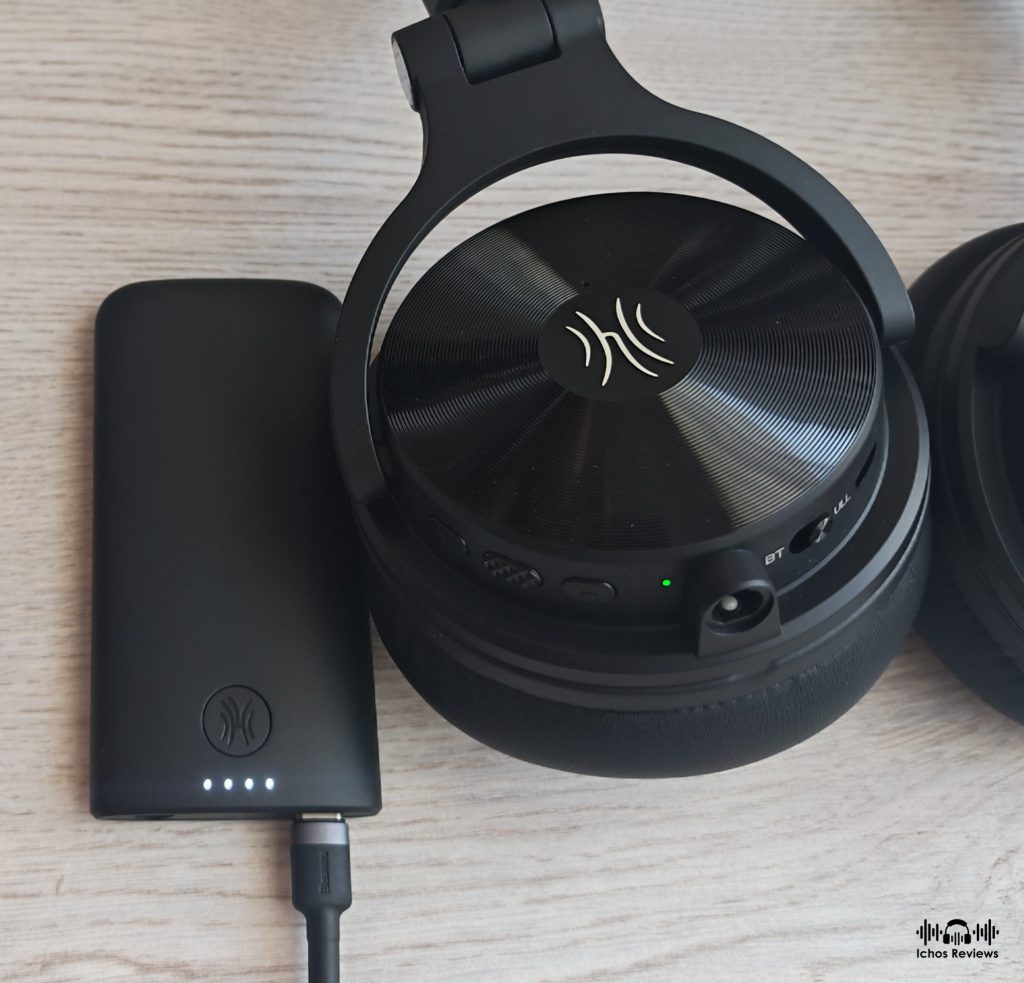
The M2 is a 2.4GHz wireless transmitter that receives analog or digital audio signals through its 3.5mm and USB Type-C inputs, and then transmits them uncompressed to the headphones using the RapidWill+ protocol.
Considering that Bluetooth can achieve a latency of around 20ms at best, we can understand that 9ms is a revolutionary figure because the human brain cannot perceive any delay at this level. Thanks to this technology, audio professionals can now rely on instant, real-time feedback without signal dropouts, just as if they were using cables, but with complete wireless freedom. They can mix and master while moving freely around the studio or live stage, within a distance of about 10m, without the bulk of cables. Competitive gaming or movie watching is another area where you can enjoy lag-free wireless performance.
The M2 Wireless Transmitter
The OneOdio Studio Max 2 connects to the transmitter using a method similar to the Bluetooth mode. The user must set the switch from the BT to the ULL position and then power on the headphones and the M2. The connection is established automatically and remains active until you power off either device. I haven’t experienced any disconnections or interference within a distance of about 8 to 9 meters away from the M2.
The M2 can receive and transmit both analog and digital audio signals, with the digital input taking priority over the analog. The USB type-C input is compatible with various sources, such as PCs, phones, tablets, and DAPs. The transmitter can charge and transmit at the same time, but only when using the USB input. Charging while using the analog 3.5mm input is not supported.
Cable and Accessories
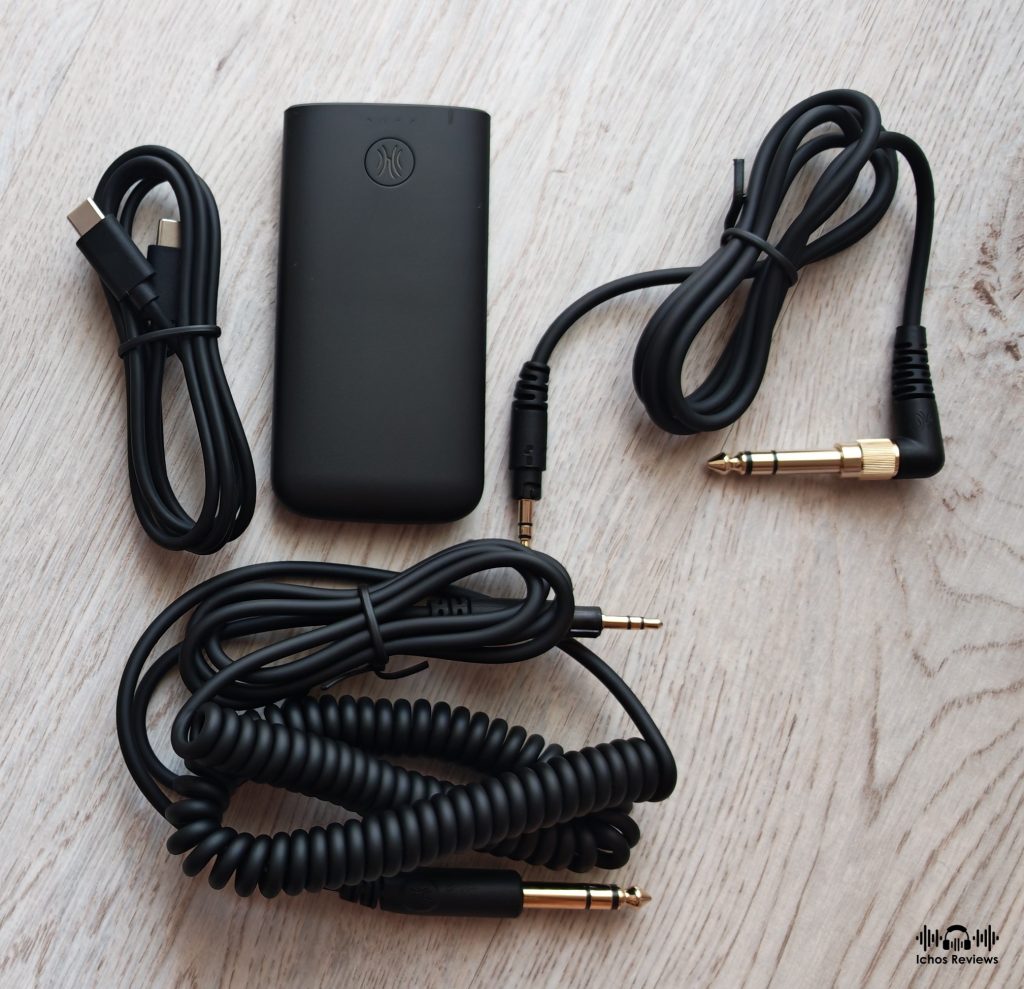
Except for the headphones, the package also includes the M2 WiFi transmitter, a 3m long 3.5mm to 6.35mm coiled audio cable, a 1.2m long 3.5mm to 3.5mm straight audio cable with a detachable 6.35mm adapter and a 1m long USB type-C charging cable.
All cables are of typical professional-grade quality, designed to withstand heavy use in a studio environment. The coiled cable doesn’t get tangled and has low friction noise.
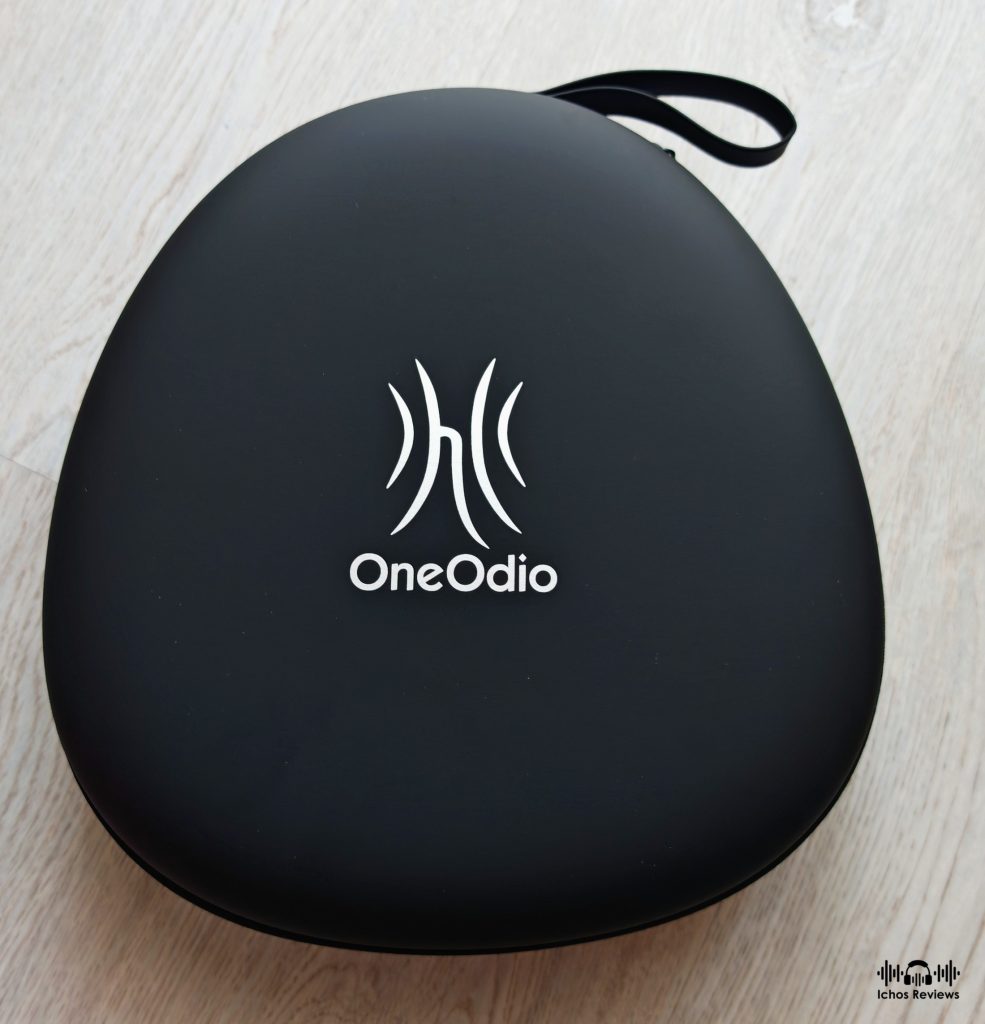
Also included are a printed manual and a high quality EVA carrying case that has enough space to accommodate the headphone together with all the accessories.
Battery Duration
Both the headphones and the M2 transmitter are equipped with 1200mAh batteries that need about 2.5 hours to fully charge. Five minutes of charge time is enough for 2.5 hours of playback in Bluetooth mode.
The headphones cannot be used while charging, but the M2 transmitter can transmit and charge simultaneously but only from the USB input. Note that the M2 will always draw power from the USB source as there is no charge off function.
The transmitter’s battery life is rated at about 60 hours, while the headphones can last up to 120 hours in Bluetooth mode and 60 hours in WiFi mode, according to the published specifications. I haven’t measured the actual battery life, but it should be close to the claimed figures, as I only needed to recharge after about a month of mixed Bluetooth and RF use for a couple of hours each day.
Design and Wearing Experience
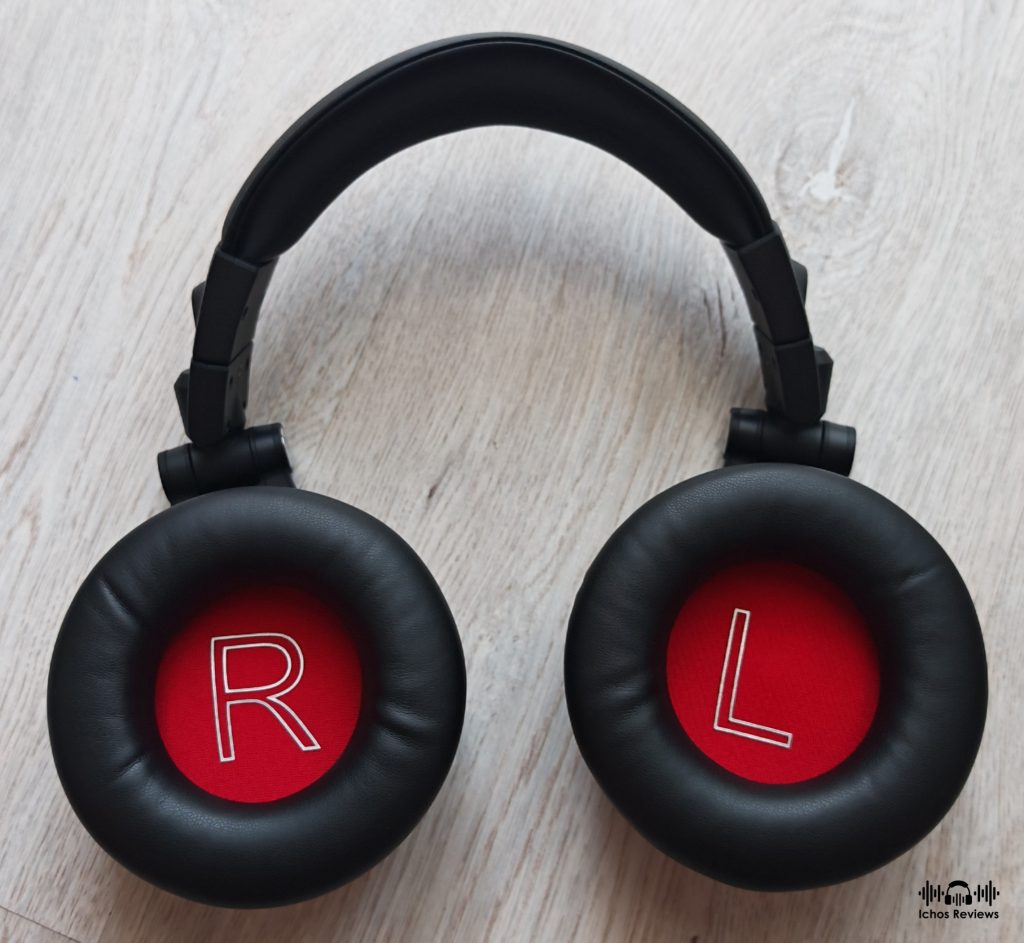
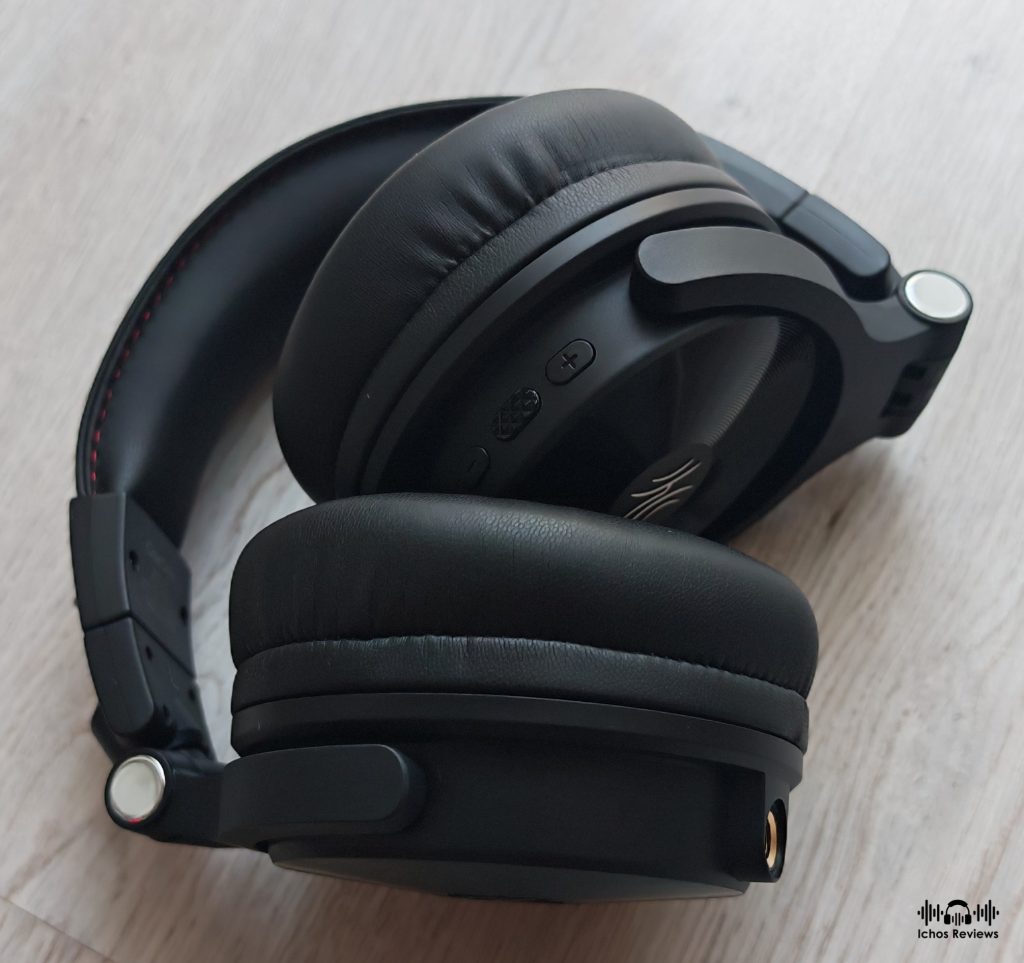
The headphone is made entirely from high-quality plastic, except for the ear cup hinges and the inner spring steel of the headband. It has a classic, studio-inspired design with rounded ear cups that have a vinyl-like pattern on the front face and a foldable mechanism. The ear cups freely rotate and swivel on both axes, making them ideal for professional use, while they are easy to adjust to the user’s head shape.
The rounded ear pads are made from synthetic leather and are large enough to fit the whole ear, but they are relatively shallow, so the ear might touch the protective felt covering the drivers. The pads are stuffed with memory foam that feels soft and smooth enough. As it usually happens with closed-back headphones, the ears will start to sweat after some time of use.
The headband is also made from synthetic leather and is stuffed with a layer of memory foam that is soft, yet stable enough to support the weight of the headphone, which is 356g without the cable. Weight distribution is even, and the clamping force is medium to low, enough to secure the headphone during movement and offer decent noise isolation.
Generally speaking, the build quality and the materials used are satisfying for the asking price. The overall wearing experience is that of a comfortable headphone but the headband could be more generously padded and may feel a little uncomfortable after an hour or so.
The OneOdio Application
The Studio Max 2 is compatible with the OneOdio application, which is available for download from their website in both iOS and Android versions.
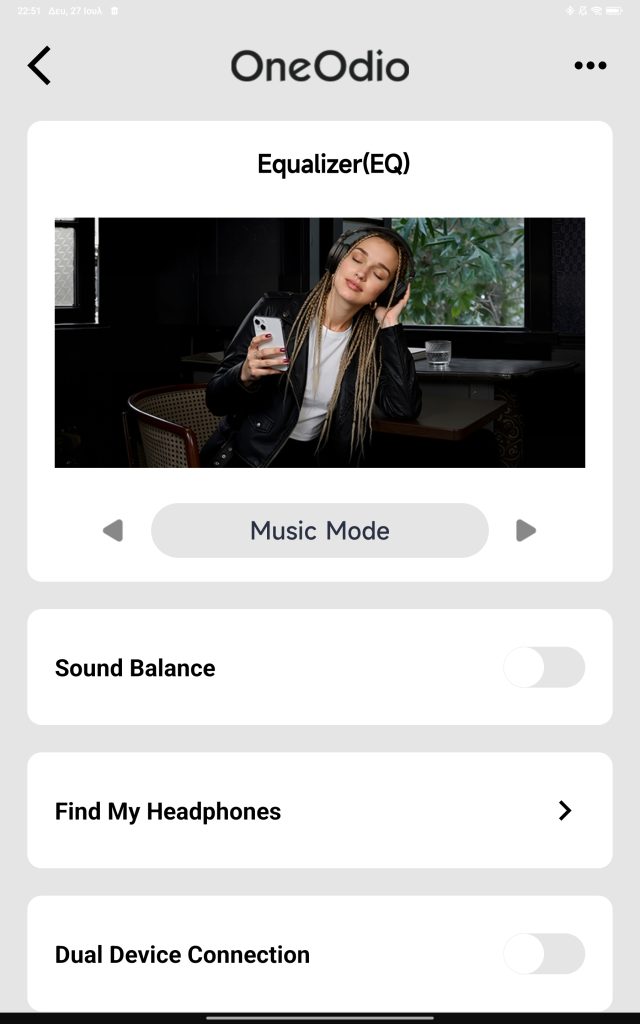
The app is necessary to perform firmware updates, while it also supports and adjusts various functions.
First of all, there is an equalizer with three preset modes (Music, Bass, and Monitoring) and a Customized mode, where the user can adjust 10 frequency bands with three positive and three negative values. The EQ is pretty simple, though, and doesn’t support in-depth parameters like pre-gain or Q value.
The selected EQ mode is memorized by the headphone and is used in every Bluetooth session without the need to reconnect to the app.
Other functions available through the app are left/right balance, Find My Headphone, enable dual-device connection, enable the Game Mode, an over-time wearing reminder, a maximum volume limiter, LDAC mode, and an auto power-off timer.
The EQ mode and all other functions are not effective in RF wireless or wired modes.
Listening Evaluation
Wired Mode
The OneOdio Studio Max 2 has a tonally balanced sound signature with a touch of bass emphasis, favoring an engaging and fun presentation over monitoring accuracy. This is a surprising tuning approach considering that the Studio Max 2 is advertised as a headphone designed for professional use rather than casual listening. The tuning is excellent for everyday listening and perhaps DJ use, but I wouldn’t recommend it for mixing and mastering.
The bass extends deep enough to cover the first octave and is then gently accentuated to make it sound fresh and enjoyable with all kinds of music without overpowering the higher frequencies or bleeding into the midrange. It is neither neutral nor reference-accurate, but it doesn’t sound so out of tune as to exclude occasional listening to classical music. Just know what to expect before buying, and don’t anticipate critical accuracy or reference tonal precision.
The technical performance is very satisfying for the category. The bass is fast and tight enough, with respectable control and only some minor cup resonances that don’t make it sound boomy. It can keep up the pace and doesn’t lose much of its composure when called to handle complicated passages, while always remaining punchy and impactful, with convincing dynamics. The textures are full bodied enough and the bass doesn’t sound lean or dry.
The midrange is tonally balanced, without any significant recession or upper midrange emphasis. Instruments and voices are reproduced with convincing accuracy, natural timbre and a rich enough harmonic structure. Textures are surprisingly refined, and the overall presentation is vivid and realistic while retaining excellent clarity and definition. The Studio Max 2 is a headphone that definitely knows how to connect the listener with the music.
The higher frequencies are another aspect of the headphone’s tuning that left me pleasantly surprised. I was expecting monitoring-like brightness, surgical precision and the usual clinical sterility often associated with professional studio gear. Instead, the Studio Max 2 leans towards a smoother and more relaxed presentation, free from sharp edges or excessive brilliance.
Don’t get me wrong though, as there is still plenty of energy under the hood, while the overall resolution is more than sufficient to reveal hidden details without crossing into analytical territory. People shopping specifically for a studio headphone might find it too forgiving and not as focused, but most listeners will likely appreciate the Studio Max 2’s easy-going and natural character.
The soundstage might not be spectacular or comparable to that of high quality open-back headphones, but it never sounds too closed or congested. There is a satisfying sense of lateral width and internal space, imaging is sufficiently precise and depth layering is present enough. You won’t get the holographic and atmospheric presentation of more capable headphones, but the overall scale of the performance is consistently preserved and presented in a convincing manner.
RF Wireless Mode
This is by far the best wireless connectivity option, retaining the same tonal balance and sonic characteristics as when using the headphone with a cable. The sonic performance is exceptionally good and the best I have experienced from a wireless headphone.
The much-advertised 9ms latency becomes instantly noticeable while watching movies, video clips, or live concerts. It is truly a game changer for professionals and hobbyists who want to get rid of cables without compromising sound quality.
The music sounds uncompressed compared to the Bluetooth mode and is free from any interference or background noise. The RF mode surpasses Bluetooth in overall resolution, clarity, high-frequency extension and texture refinement, while the bass sounds punchier and more impactful. Interestingly enough, the bass is slightly less emphasized in both RF and Bluetooth modes than it is in wired operation.
That said, using the headphone with a cable still offers the best possible audio quality and unmatched dynamics, while also avoiding the maximum volume limitation present in both wireless modes.
Bluetooth Mode
The sound quality in Bluetooth mode is typical of the current industry standards, as long as you use the LDAC codec and have the EQ set to flat. The other three ready-made EQ modes are heavily equalized and produce a sound that is colored, unnatural and tonally inconsistent.
Of course, you can always create your own EQ curve but it is strongly advised to evaluate the sonic performance of the Bluetooth mode with all frequencies set to flat. The audio quality in Bluetooth mode is up to the task and very convenient as you don’t have to use the transmitter but the RF mode is what makes the Studio Max 2 unique and superior from the competition.
(The headphone was updated to the latest 1.0.4 firmware)
In The End
Until now, I wasn’t familiar with OneOdio, and I didn’t have a clue about how their other headphones might sound. What I know with certainty though, is that the Studio Max 2 is a well-made and well-tuned headphone, suitable for casual listening and general media consumption.
I wouldn’t hesitate to recommend the OneOdio Studio Max 2 for its wired and Bluetooth sonic performance alone, but what really surprised me and sets it apart from the competition is the audio quality in RF 2.4GHz wireless mode.
The Studio Max 2’s wireless mode sounds far better than any Bluetooth headphone I have tested and is the gateway to high-quality wireless sound without the usual compromises often associated with Bluetooth.
My only complaint is that it doesn’t get as loud as it does in wired mode, but the maximum volume is still more than sufficient for most applications. Despite this minor limitation, the Studio Max 2 is an easy recommendation for anyone looking for uncompromising wireless sound with the added flexibility of wired and Bluetooth operation.
Copyright – 2026.
Authored by Petros Laskis for Ichos Reviews. All content is original and copyrighted. Republishing full reviews or portions without written permission is prohibited. Excerpts up to 100 words are allowed with a direct link.
+ Casual yet balanced tuning
+ Good bass technical performance for a closed-back headphone
+ Natural sounding mids and smooth treble
+ Resolving without sounding analytical
+ Open and spacious enough soundstage
+ 2.4GHz RF wireless, Bluetooth and wired operation
+ Excellent RF wireless performance with 9ms latency
+ RF transmitter accepts both digital and analog audio signals
+ Compatible with the OneOdio application
+ Excellent battery life
+ Relatively lightweight and comfortable with a foldable design
+ Good build quality for the price
+ Comprehensive accessory package
+ Competitively priced

- Primitive EQ application
- Doesn't support any aptX codecs
- Not suitable for mixing and mastering despite the marketing
- Cannot be used while charging
- The headband may feel uncomfortable after a while
- Maximum volume is limited in both wireless modes
- Built-in microphones, EQ profiles and other functions are unavailable in RF mode










Leave a comment